HopToDesk sounds almost suspiciously generous: remote control between computers, file transfer and chat, no account required for basic connections, and a free client for personal or business use. That is an appealing starting point if you're the person everyone calls when a laptop stops behaving.
The enthusiasm isn't unconditional. Feedback collected for this review praises how little setup the app needs, the broad device support and the low cost, but also describes dropped connections, occasionally sluggish handshakes, interface quirks and clunky file transfers. The honest answer is that HopToDesk looks especially attractive for occasional support, while a busy support team should check reliability and management features before committing.
Our 7.8/10 is an editorial rating based on those supplied user observations and published product documentation. It isn't a measured latency score or a claim that we conducted a new cross-platform test.
HopToDesk at a glance
| Feature | What the official product currently provides |
|---|---|
| Basic remote-control app | Free for personal and business use |
| Supported systems | Windows, macOS, Linux, Android, iOS and more |
| Portable option | Windows client can run without a conventional install |
| Remote sessions | End-to-end encrypted, according to HopToDesk |
| Extra tools | File transfer, chat, remote support and unattended access |
| Free Dashboard | Up to 3 managed devices and 2 users |
| Security | Device-level 2FA and Dashboard account controls documented |
| AI / MCP | Available with plan-dependent tool permissions and usage limits |
| Editorial rating | 7.8/10, reflecting features and reported limitations |
The three-device allowance applies to the free management Dashboard, not a blanket three-session limit on the basic client. HopToDesk's download page says the underlying application remains free for personal and commercial remote access without a mandatory account. The Dashboard pricing page separately defines its free device and team limits.
Setup: pleasantly little fuss
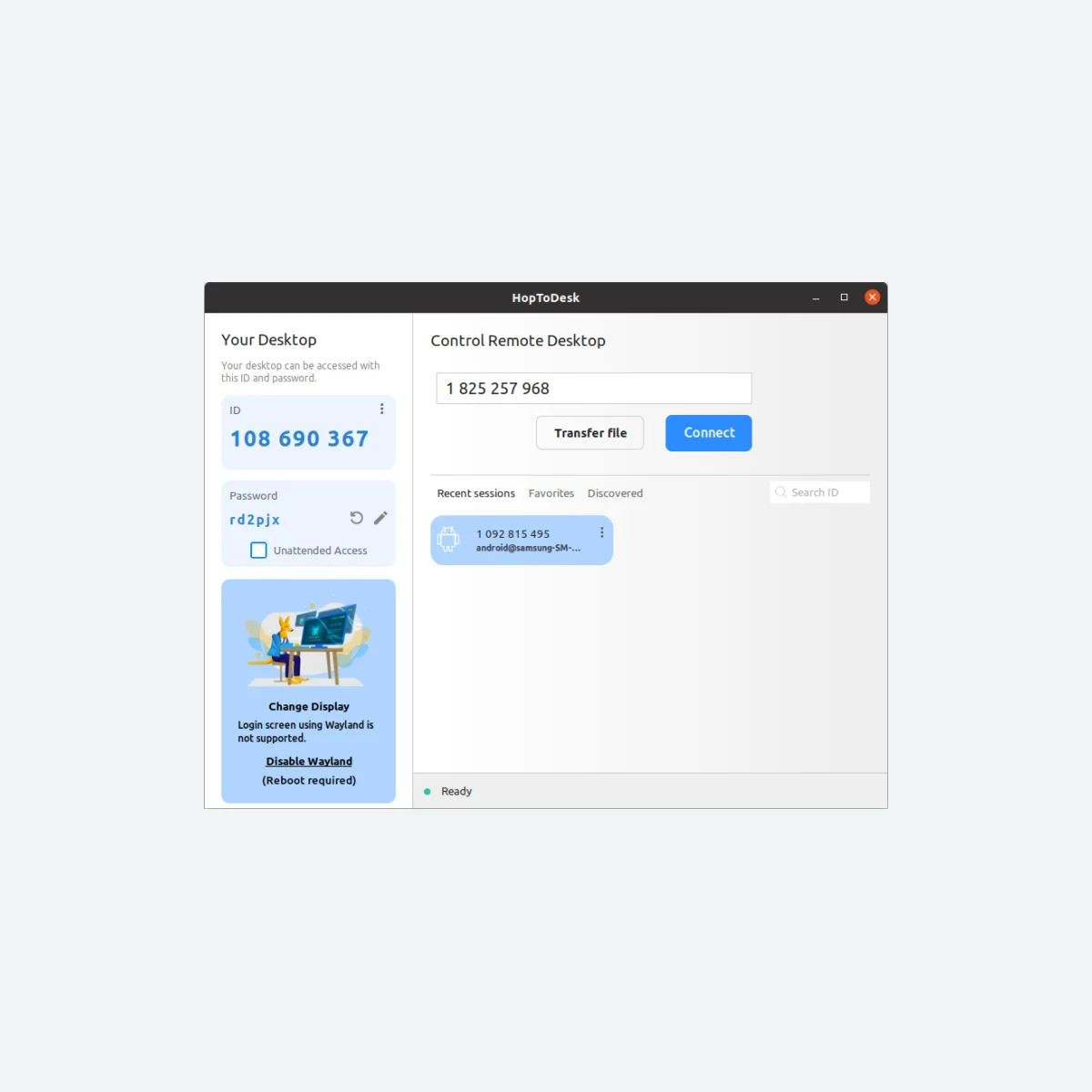
One of HopToDesk's strongest ideas is that you don't need to be an IT department to get started. The remote computer has an ID and a password, the person helping enters those details, and the session can begin. The Windows version can run without a full installation, although permanent unattended access is a different kind of setup.
The supplied feedback repeatedly praises the small download and ease of getting the client running. HopToDesk also supports older Windows systems, including a separate Windows XP/Vista download, alongside mainstream Windows 10/11, macOS and Linux options. That breadth is useful for anyone helping a relative with an ageing PC or supporting an odd mixture of devices.
What is less reassuring is the reported inconsistency once users actually connect. Some feedback describes a handshake taking a minute or two, or a session needing to be re-established. Those are reported experiences, not timings we reproduced on a controlled network. If your work depends on urgent remote support, they're worth checking against your own connection before you rely on it.
Connection quality and remote-control tools
When a remote desktop feels responsive, you almost forget you're controlling another machine. When it lags, even a simple file rename becomes frustrating. The user notes behind this review mention occasional sluggishness compared with established alternatives, mouse back/forward buttons failing to behave as expected and some application windows not appearing reliably.
HopToDesk isn't standing still. Its October 2026 change log mentions networking, relative mouse mode, file transfers, UI and stability fixes across several releases. That's encouraging, but a fix appearing in release notes doesn't prove that every reported issue has disappeared on every device.
For routine tasks such as a quick settings change, remote chat or helping someone locate a document, this is a promising tool. For complicated multi-monitor support or repeated file transfers, I'd spend time checking the exact current client version and both networks.
Security: the detail that needs careful wording
HopToDesk says its remote sessions use end-to-end encryption and it publishes security guidance for both the client and its Dashboard. That's a strength, provided users still manage permissions, passwords and device access sensibly.
One complaint in the supplied notes says the client lacks built-in two-factor authentication. That appears to be out of date. The current official security documentation explains device-level TOTP 2FA that can require a code before an incoming session, while Dashboard accounts have additional 2FA and passkey controls. These are different settings: protecting a Dashboard sign-in is not the same as requiring a code for each remote device.
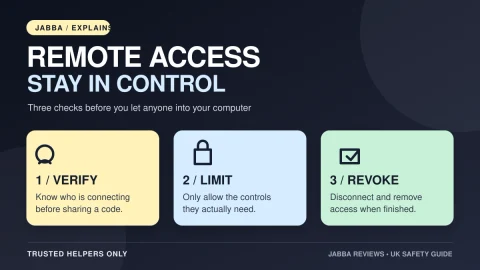
I wouldn't treat encryption or a security checkbox as permission to grant access to strangers. Only share a remote ID and password with someone you genuinely trust. If an unexpected caller tells you to install remote-control software to 'fix' your bank or computer, end the conversation. Our remote desktop safety guide explains why that matters.
The free client versus the free Dashboard
This is where HopToDesk's packaging can be confusing. The basic client is free. You don't need a Dashboard account to connect from one machine to another.
The free Dashboard adds managed device records, device groups, contacts, live online status, session recording, basic help desk features and 2FA for up to three registered devices and two users. Some feedback complains about missing online indicators or an in-app address book; the current Dashboard addresses those needs, but you have to understand that you're using a separate management layer.
Paid tiers are priced in US dollars and add larger device allowances, team features and advanced management. The pricing and included tools can change, so I'd check the official plans instead of converting a dollar figure to a possibly outdated UK price.
What about AI and MCP support?
HopToDesk now supports integration with AI tools through the Model Context Protocol (MCP), allowing an authorised connected assistant to discover devices and, with appropriate permissions, interact with remote computers. That can be powerful for IT teams, but it is not a reason for a casual user to hand broad remote access to an unknown app.
The official MCP guide outlines setup and the separate permissions. The Dashboard documentation says the free tier offers up to 500 device actions over 24 hours, while some fleet controls and remote-session tools require paid plans. This is a newer capability than the simple client features and should be evaluated separately.
Verdict: is HopToDesk worth trying?
7.8/10. A free, cross-platform remote-control tool with an easy start, documented encryption and a remarkably capable optional Dashboard is attractive. I especially like the idea of a portable client for occasional support rather than a huge software package that asks you to create three accounts before you can help someone.
The caveat is reliability. Reports of dropped connections, slow handshakes, awkward file transfer and inconsistent controls are difficult to ignore if remote support is part of your working day. I would trial it on devices you own, turn on suitable 2FA and check the features you actually need before moving an entire team.
Best for: occasional remote assistance, home users, small teams exploring a low-cost solution. Think twice if: predictable performance, polished file transfer or advanced fleet access control is business-critical.
The official HopToDesk download is the best place to start; the safest way to evaluate it is on computers you control.
About this review
This is a research-led editorial review with user-experience notes supplied for Jabba Reviews. The score represents an editorial balance of documented features and reported annoyances; it does not describe a new measured connection-speed or security penetration test. Product and security claims were checked against official HopToDesk documentation in November 2026. The screenshot is actual app imagery from the public Flathub listing.
KEEP EXPLORING
This article was originally published on 21 Nov 2026. Product specifications, prices and availability may have changed. We sometimes receive review products and may earn commission through affiliate links. We are not obliged to publish a positive review. How we review and disclose partnerships.