
TeamViewer is a well-known remote access software that has been used by millions of people worldwide for many years. With the release of the new TeamViewer Remote version, 15.40.0, the software has been enhanced with new features and improvements that make remote access and support more efficient and user-friendly.
One of the most significant changes in the new TeamViewer Remote is the improved performance and stability. The software is now more responsive and faster than ever before, which means that users can access and control remote devices more quickly and easily. This improvement is particularly noticeable when working with high-resolution displays or when accessing computers with slower internet connections.
New Teamviewer Remote Review
Another noteworthy feature of the new TeamViewer Remote is the redesigned user interface. The layout has been simplified and streamlined, making it easier for users to navigate the software and find the features they need. The new interface also provides a more modern look and feel, which is more in line with current design trends.
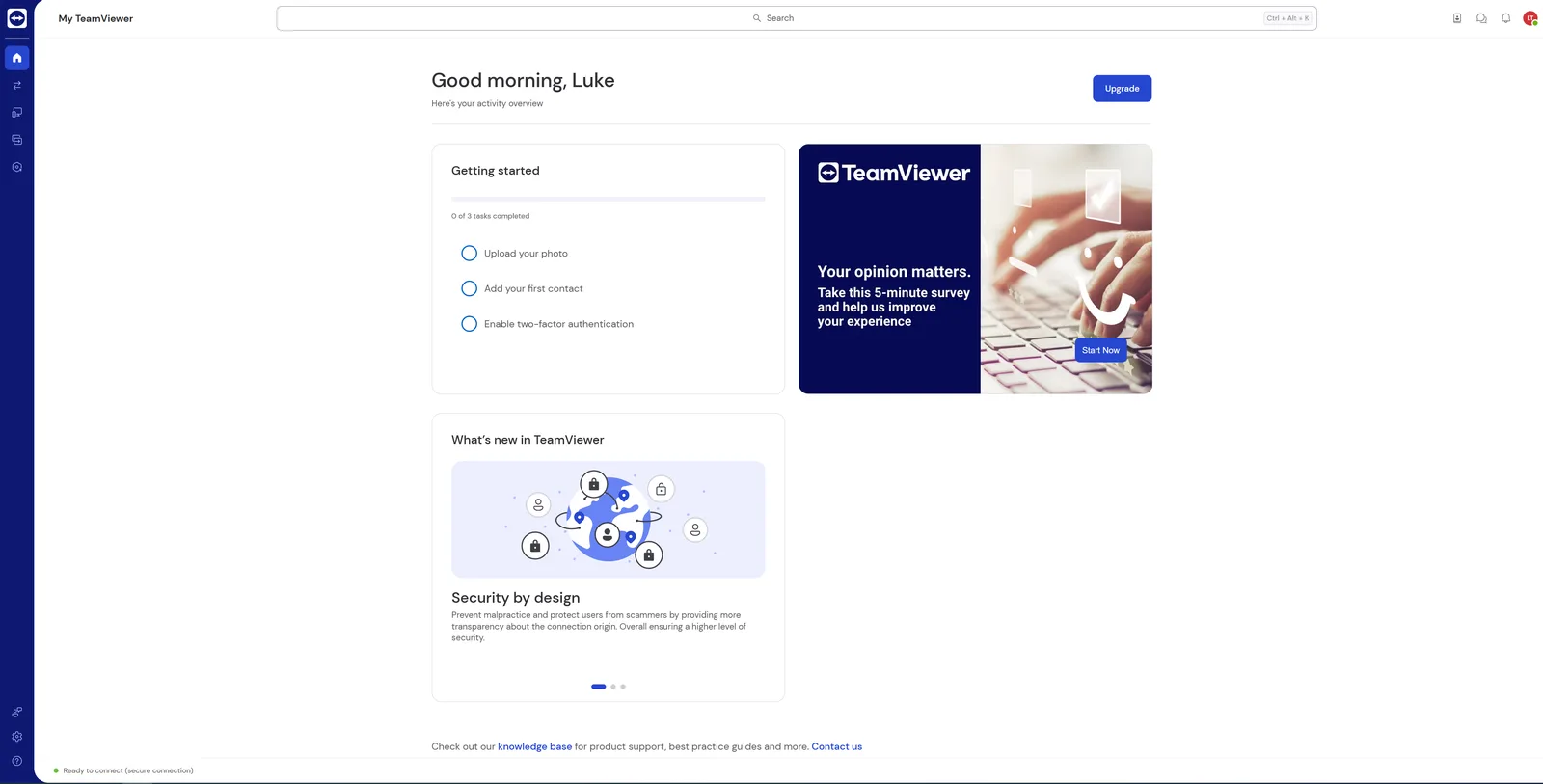
The new version also offers enhanced security features, such as the ability to set up two-factor authentication. This means that users can add an additional layer of security to their accounts, making it more difficult for hackers to gain access to sensitive information. Additionally, the software has improved its encryption capabilities, ensuring that all data transmitted between devices is secure and private.
One of the most useful features of the new TeamViewer Remoteis the ability to transfer files between devices more easily. Users can now drag and drop files directly into the remote session, which eliminates the need to upload files to a cloud service or send them via email. This feature is particularly helpful for users who frequently need to transfer large files between devices.
New Teamviewer Remote Review
Another improvement in the new version is the ability to record remote sessions. This feature is particularly useful for support technicians who need to document their work or for users who need to review a session later. The recording feature is easy to use and provides high-quality video and audio recordings.
The new TeamViewer Remote also includes several new tools and features that are designed to improve productivity. For example, users can now add custom shortcuts to the toolbar, making it easier to access frequently used features. Additionally, the software now offers a built-in task manager, which allows users to view and manage running processes on the remote device.
Overall, the new TeamViewer Remote version 15.40.0 is an excellent update that provides users with a range of new features and improvements. The improved performance and stability, enhanced security features, and redesigned user interface make the software easier and more enjoyable to use. The addition of new productivity tools and file transfer capabilities also makes it an essential tool for remote access and support. If you are a current user of TeamViewer, the new beta version is definitely worth checking out.
KEEP EXPLORING
This article was originally published on 3 May 2023. Last updated on 19 May 2023. Product specifications, prices and availability may have changed. We sometimes receive review products and may earn commission through affiliate links. We are not obliged to publish a positive review. How we review and disclose partnerships.