A USB-C cable is about the least exciting thing you can put in your basket. Until your laptop refuses to charge properly, your external SSD crawls through a file transfer or you realise the '240W' cable you just bought doesn't do what you expected.
The temptation is to buy the biggest number and call it a day. We've seen enough awkward charger and cable decisions in earlier Jabba Reviews coverage to know that's not always the clever option.
Not necessarily. And that isn't the only number worth checking.
Here's how to choose a USB-C charging cable that suits the devices you actually own, without paying extra for a feature you won't use.
The quick answer: A 60W cable may be perfectly suitable for a phone, tablet or some laptops. A 240W-rated cable offers a higher power capacity, but only a compatible charger and device can make use of it. Neither number tells you whether a cable is fast for transferring files or connecting a monitor.
What do 60W and 240W mean on a USB-C cable?
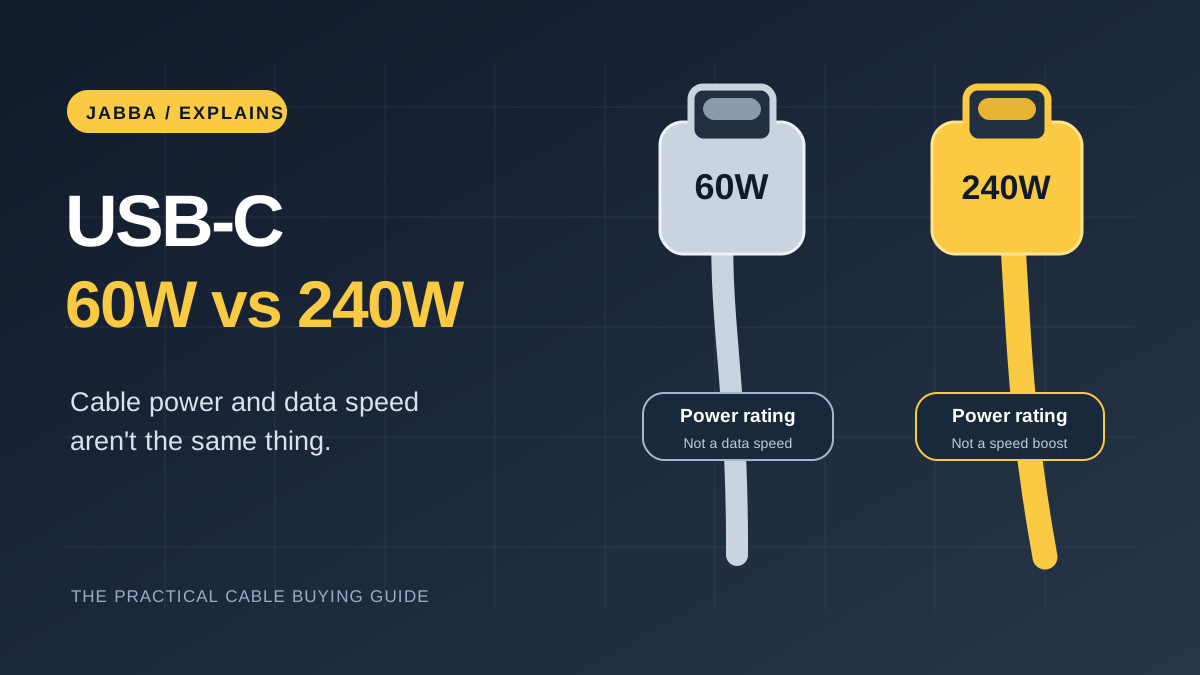
They describe how much electrical power the cable is designed to carry under the relevant USB specifications. They are limits of the cable, not charging speeds your phone or laptop must reach.
The USB Implementers Forum (USB-IF), which runs USB certification programmes, now uses 60W and 240W markings in its USB-C-to-USB-C cable logo rules. Its official cable guidance also covers separate markings for supported data transfer speeds.
You may still see older cable listings calling a product 100W. That reflects earlier USB Power Delivery cable conventions and product branding; it doesn't make the newer 60W/240W labelling meaningless. Check the manufacturer's exact specification and certification rather than treating every cable with the same connector as interchangeable.
There are three separate things in the charging chain:
- The device decides what charging power it supports.
- The charger offers one or more compatible power profiles, such as USB Power Delivery (USB PD).
- The cable must safely support the agreed current and power level.
Here's the trap we'd avoid: treating the 240W label like a performance upgrade in its own right. It's the ceiling of one piece of the setup, not a promise from the charger or the device. If the plug is only able to provide 30W to your phone, a 240W cable doesn't magically supply the missing 210W.
Does a 240W USB-C cable charge a phone faster?
Not just because the label says 240W. Phones negotiate power with compatible chargers, and charging often slows as their batteries fill or if the device gets too warm.
If a phone and its charger already work correctly with a suitable 60W-rated cable, changing only the cable to a 240W version may make no practical difference.
We covered the other common reasons in Why Is My Phone Charging Slowly?. It walks through charger compatibility, cables, heat, battery settings and port warnings using manufacturers' advice rather than pretending one cable fixes every problem.
If your laptop requires more power, a suitably rated high-power cable becomes more important. But you still need the correct adapter and a compatible USB PD charging setup.
What about a laptop that needs 100W or more?
Check your laptop's actual USB-C charging requirement, especially if you charge it while working with demanding software. Some laptops accept reduced-power charging, or may drain slowly under heavy load if the adapter is insufficient.
For a higher-power USB PD setup, use a cable that the manufacturer explicitly rates for the required level. Proper high-current USB-C cables also include electronic identification, often called an E-marker, so compatible equipment can establish the cable's capabilities.
The USB-IF's cable and connector compliance information explains the relevant cable-testing and identification requirements. It is worth looking for recognised, properly presented certification marks rather than relying on a vague marketplace claim such as "ultra-fast".
One of our older pieces makes the point better than any charging-spec chart. In the original Anker Nano II 65W charger review, the reviewer compared the charging estimates shown by a Galaxy S21 Ultra when briefly switching between chargers. The phone displayed 43 minutes remaining with the Nano II versus 54 minutes with one Spigen charger, starting near 48% battery. That's a real observation from that 2021 article, but these were on-screen estimates from short swaps, not full timed 0–100% charge runs. The takeaway is still useful: the charging setup matters, and the label on one cable is only part of it.
Does 240W also mean faster file transfers?
This is the bit we'd underline in bright yellow: no. Power capacity is not file-transfer speed. The same plug shape hides several very different capabilities, and a cable with a wonderfully impressive wattage number can still be a fairly ordinary data cable.
Power capacity and data rate are different properties. A cable can handle plenty of charging power while offering only USB 2.0 data speeds. Conversely, a cable designed for a high-bandwidth data connection also has its own power rating.
Under the USB-IF logo scheme, certified cable markings can distinguish 60W or 240W power from data rates such as 5Gbps, 10Gbps, 20Gbps, 40Gbps or 80Gbps, where applicable. Its logo requirements explain why those details are separate.
For charging your phone overnight, a USB 2.0 data connection might not matter. For copying large video files or using a fast external SSD, it absolutely can.
Here's a simple way to think about it:
| You mainly want to... | What to check on the cable |
|---|---|
| Charge a phone or tablet | Sufficient wattage for that device and charger |
| Charge a power-hungry USB-C laptop | High enough rated power, reputable certification and compatible USB PD equipment |
| Copy large files quickly | Explicit data rate in Gbps, not just a wattage claim |
| Connect a USB-C monitor | Video/DisplayPort or Thunderbolt/USB4 compatibility for your exact devices |
| Use one cable for everything | Power, data and video capabilities all documented |
A high wattage number cannot substitute for a video-support specification, either. Some USB-C cables only handle charging and slower data, despite fitting into a monitor or dock.
Should you replace an older 100W USB-C cable?
Not automatically. If it's a known-good cable from a reliable maker, its printed rating is sufficient for your device and it shows no damage, there is little reason to throw it away just because a newer logo has appeared.
There's an interesting trade-off in our original Anker PowerLine III Flow 100W cable review. The writer loved the unusually soft, flexible silicone feel and lack of cable memory, but reported a larger voltage drop than other cables they'd measured. Those measurements were from that particular 2021 review; we aren't claiming a new test or that every PowerLine behaves the same way. It's a nice reminder that a higher power rating doesn't tell the whole story about flexibility, efficiency or daily use.
The distinction between charging and transferring files also comes through in a separate independent hands-on test of the Anker A8553 PowerLine III Flow 100W: its reviewer praised the soft, flexible feel but reported USB 2.0-level data transfer, around 41MB/s in that setup. Those are the outside tester's results, not a Jabba measurement. For someone who mostly charges a laptop, that may be perfectly fine. For someone moving large footage every day, it changes the buying decision entirely.
Inspect a cable before use. Stop using it if the connector is bent, the sheath is damaged, it becomes unusually hot, or charging repeatedly disconnects. Never assume a worn cable is safe simply because the labelling looks impressive.
A quick buying checklist
Before clicking add to basket, check these points on the maker's exact model page:
- The charging wattage is at least what your device and charger require.
- The product specifies its USB data speed if you intend to move files.
- Video support is confirmed separately if you'll connect a monitor or dock.
- Cable length works for your setup; a very short cable isn't much use at a desk.
- The product comes from a credible manufacturer with clear specifications and appropriate safety/certification information.
What we'd actually buy: For an everyday phone or tablet, we'd choose a properly specified 60W cable if it comfortably covers the device's charging needs. For a laptop that can draw more, we'd check its adapter and go for an appropriately rated higher-power cable. For a fast SSD or display, we'd spend our attention on data and video support instead of the largest charging number. It's a boringly practical answer, but much better than spending twice on the wrong lead.
How we put this together: We checked the USB-IF's cable guidance and revisited recorded observations from Jabba Reviews' original Anker charger and cable reviews. Those earlier tests are dated and described as such. We did not run a new 60W-versus-240W charging experiment for this article.
KEEP EXPLORING
This article was originally published on 18 Nov 2026. Product specifications, prices and availability may have changed. We sometimes receive review products and may earn commission through affiliate links. We are not obliged to publish a positive review. How we review and disclose partnerships.