It's Black Friday, which means the internet has apparently decided everything you've ever clicked on should be 47% off for the next six minutes. Lovely. But a genuinely good tech deal is one you can verify, on a device you actually want, from a seller you'd trust if it went wrong.
Black Friday 2026 falls on Friday 27 November, followed by Cyber Monday on Monday 30 November. UK retailers have been advertising offers well before the Friday. That's exactly why I wouldn't judge the value of a laptop, gaming headset or phone by a massive red “SALE” banner.
This is a buying checklist, not a live price feed. No made-up discounts, no affiliate urgency and definitely no pretending a product photo is proof of an active offer.
First: check whether the discount is real
My starting point is the price the product normally sells for, rather than its theoretical recommended retail price.
Imagine a headset regularly sells for £79, occasionally rises to £99, and then appears on Black Friday at £75 under a “save £50” banner. It's £4 below the usual price, not the bargain of the century. You don't need to do advanced maths; you need a little history.
- Look at a reputable UK price-tracking service, where available, rather than only the retailer's “was” label.
- Compare the exact item with at least two other sellers.
- Include delivery charges and any membership cost needed to unlock the offer.
- Note the size, capacity, colour and model code. A different suffix can mean a genuinely different product.
- Make sure the seller, delivery and return terms are clear before checking out.
MoneySavingExpert's Black Friday coverage is refreshingly sensible about the basic rule: if you don't need it or can't afford it, you haven't saved money. The MoneyHelper advice also recommends comparing prices and including delivery and returns in the calculation.
The tech categories worth checking closely
Different gadgets hide different traps. Here's the shortlist I'd use when scanning UK sales.
| Category | What to check first | The classic Black Friday trap |
|---|---|---|
| Gaming headset | PS5/Xbox/PC compatibility, wireless dongle, microphone | Discounted older model without the features you need |
| Laptop | Exact processor, memory, storage, display and support | Similar-looking listing with less RAM or a poor screen |
| Smartphone | UK variant, storage, software updates and battery | Older device close to the price of a newer one |
| Wireless earbuds | Comfort, noise control, call quality and returns | “Pro” naming that doesn't match the product generation |
| Smart-home gadget | Wi-Fi standards, ecosystem, subscription and privacy | Low price followed by monthly fees |
| Power bank or charger | USB-C power delivery, capacity and included cable | Big wattage on the box but not on your actual device |
| Mouse or keyboard | Fit, switch feel, software and layout | An almost-identical version missing a useful feature |
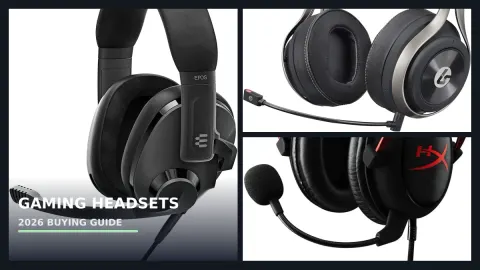
Gaming headsets: don't mistake wireless for universal
A headset can be brilliant on PlayStation and awkward on Xbox. Some wireless dongles support a particular console family, some headphones have Bluetooth for a phone but not low-latency console audio, and some models do both but not simultaneously.
Before buying a discounted gaming headset, check the manufacturer's compatibility list for the exact model. Driver size and RGB can wait. The microphone and whether the headset actually talks to your console cannot.
The biggest shopping lesson is simple: even an otherwise excellent gaming headset may lack Bluetooth pairing or Xbox compatibility. Start with the exact manufacturer's model page, then browse our gaming gear reviews for practical strengths and limitations.
Laptops: the model number is your best friend
A listing that says “15-inch gaming laptop, RTX graphics, huge discount” isn't enough. You need to identify the actual processor and graphics chip, RAM capacity, SSD size, panel resolution, refresh rate and upgrade options.
Watch out for wildly different configurations sharing almost the same product name. A cheaper GPU, a dim display or half the storage can make a seemingly generous markdown less impressive.
My personal favourite shopping trick is to write down the minimum specification I need before browsing. That removes the temptation to buy a slow laptop because the discount label had a particularly dramatic font.
Phones: software support can be worth more than a discount
A smartphone might look like a steal until you realise it's approaching the end of its useful software-support window. Check the manufacturer's current update commitment, the exact UK model, SIM/network compatibility and whether the listing is new, refurbished or imported.
Battery age and warranty matter too, especially on older or marketplace devices. A £50 saving isn't much consolation when you discover a new generation costs only slightly more and will receive security updates for longer.
For cheaper options, browse our phone coverage and read the actual strengths and weaknesses rather than shopping by a headline price alone.
Chargers, cables and power banks: ignore the biggest number
This is where the marketing maths gets especially creative. A “240W” USB-C cable doesn't make your ordinary phone charge at 240W. A multiport charger promising 140W may quote its maximum total output, not what one device receives when every port is occupied.
Check the power profiles, the ports, the supplied cable and what your devices actually accept. Our USB-C 60W vs 240W guide is a useful starting point if you've ever stared into a drawer of mystery cables and wondered when things got this complicated.
Don't forget the returns, warranty and seller
On marketplaces, “sold by” and “dispatched by” are not always the same thing. Look for the business responsible for the order and check its returns address, warranty terms and support options.
For UK online orders, consumer rights still matter during a sale. The usual distance-selling cancellation rules often apply, with exceptions, and faults have separate legal protections. The UK government's distance-selling guidance is a better reference than a seller's overconfident one-line “no returns on sale items” statement.
Also check whether a cashback offer requires a claim after purchase. If you're terrible at paperwork — I absolutely understand — factor that into whether the price is really attractive.
Our Black Friday 2026 shopping rule
I use a simple three-question test:
- Would I still want this exact product at its normal price?
- Is today's actual price genuinely good compared with its recent selling price and competitors?
- Will it work with everything I already own?
Three yeses? Great. That's a proper potential bargain. Anything else deserves another look.
This year, I'd especially check the underlying product generation and compatibility before buying older gaming hardware, headphones, laptops or desk accessories. A discounted product is not automatically a bad product; the mistake is buying one that doesn't suit you just because the price has confetti around it.
Bottom line: the best Black Friday tech deal is rarely the one with the biggest badge. It's the product you wanted anyway, at a real low price, from a seller who'll still help if it breaks in January.
How we put this guide together
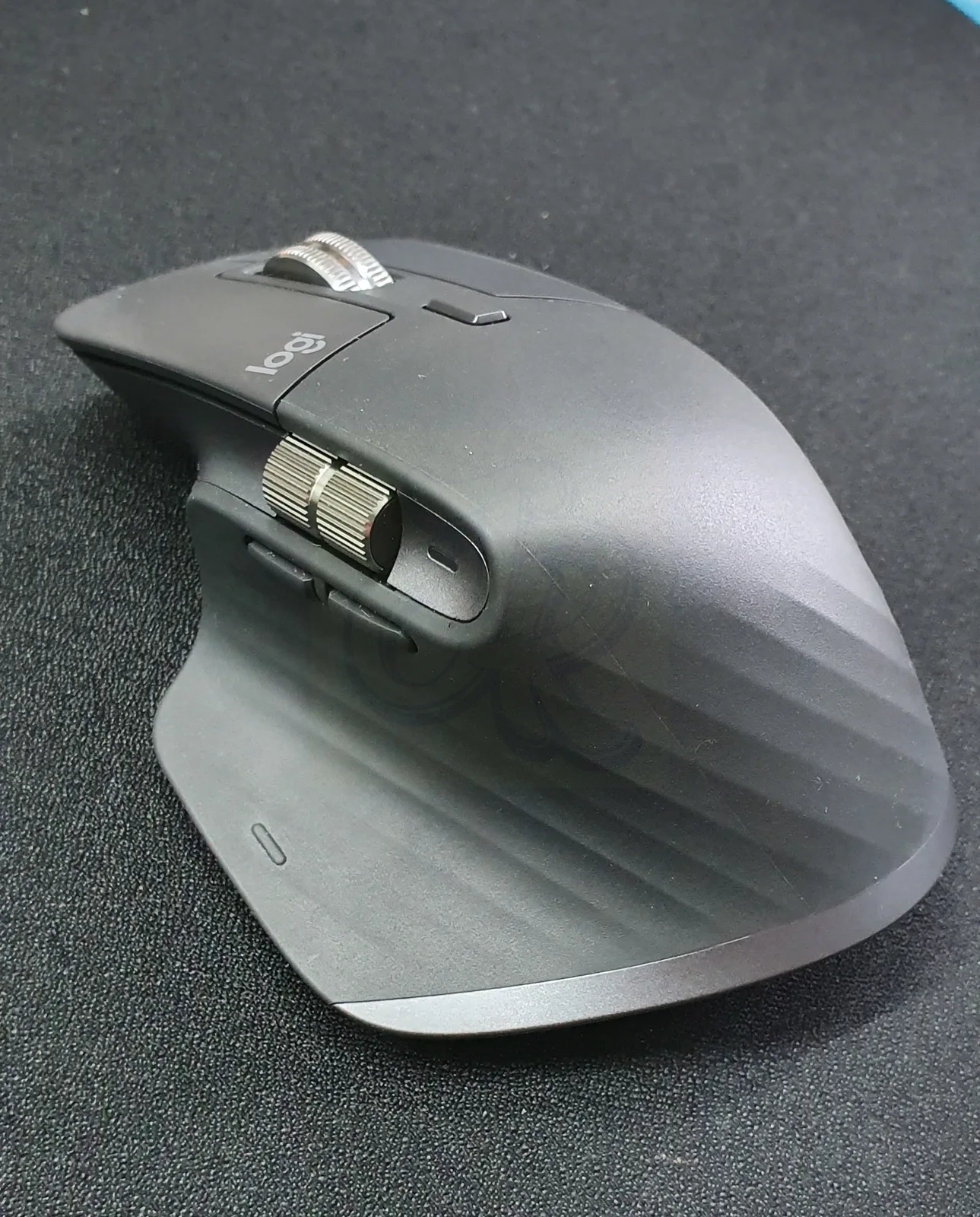
We checked the published 2026 UK Black Friday dates and consumer shopping guidance from Which?, MoneySavingExpert, MoneyHelper and UK government advice. This article provides a practical price-checking framework. It does not claim specific deals are live or that Jabba Reviews independently price-tested every model on sale. The genuine Logitech product image above illustrates a typical gadget category rather than a verified Black Friday offer.
KEEP EXPLORING
This article was originally published on 27 Nov 2026. Product specifications, prices and availability may have changed. We sometimes receive review products and may earn commission through affiliate links. We are not obliged to publish a positive review. How we review and disclose partnerships.