A huge discount on a new phone is a lovely thing. There's the old price, there's a smaller new price, and suddenly you're imagining how much more organised your life will be with a shiny new Android.
Then you buy it, open three apps, and wonder why the one you were using a minute ago has disappeared. Less exciting.
Black Friday phone deals are already appearing across the UK, so this is a good time to decide what actually makes a budget Android worth buying. Which? is tracking early phone and SIM-only offers, while MoneySavingExpert has been checking early technology discounts. Neither a red sale badge nor a dramatic percentage tells you how the handset will feel in daily use.
I'm not going to pretend every phone with a discount is a bargain. Here are the seven checks I'd make before spending money, particularly if you're hunting for a cheap Android phone rather than a flagship.
1. Check the real price, not just the discount
A phone reduced from £199 to £119 looks like a steal. But what if other shops have been charging £125 for weeks? That's not quite the same story.
Look up the exact model, storage capacity and colour across more than one retailer. A 64GB handset and a 256GB version aren't interchangeable, even when their product photos look identical. The price you compare should also be for the same new, refurbished or used condition.
Which? explains why it checks historical market prices rather than relying only on the crossed-out amount. It's the right habit to copy: compare what the phone normally costs, not just what the seller says you've saved.
If you can't verify a dramatic saving, treat it as a price to consider rather than a deal you must grab before midnight.
2. Find the actual RAM figure
Here's one of my favourite budget-phone marketing tricks: a box that shouts 12GB RAM when the phone doesn't have 12GB of physical RAM.
Some Android handsets use virtual memory features such as RAM Boost, borrowing storage space to help with memory management. That can be useful, but it isn't identical to physical RAM, and it doesn't upgrade the processor.
Motorola's official Moto g06 specifications list configurations with 4GB or 8GB of physical RAM and higher figures when RAM Boost is included. Motorola lists those RAM Boost figures separately from the phone's physical memory. The key point is that a higher advertised RAM Boost figure is not the same as installing more physical RAM.
This matters because multitasking is one of those things you notice every day. In our hands-on Motorola Moto g06 review, we found it a good, solid phone for everyday use and YouTube, but it felt sluggish with multiple apps open and some background apps closed.
The lesson isn't that every budget phone is hopeless. It's that the physical RAM, processor and real-world app performance matter more than the biggest number on the sales page.
3. Check how long it will receive security updates
If you're planning to keep a cheap Android for three or four years, this is an important one.
A handset can be brand-new in its box while already being well into its manufacturer's update timetable. For example, Motorola currently lists the Moto g06 security support end date as August 2027. That's less than a year away for someone shopping in November 2026.
It doesn't mean the phone instantly stops working when updates end. But the remaining support period should influence how long you'd feel comfortable relying on it.
Before buying, search the manufacturer's support site for the specific model's software and security policy. Don't assume every phone from the same brand gets the same number of updates.
4. Don't be fooled by a big battery alone
Battery capacity is usually shown in milliamp-hours, or mAh. Bigger can be better, but it doesn't tell you how fast the phone charges or how efficiently it uses power.
The Moto g06, for example, has a 5,200mAh battery and 10W wired charging, according to Motorola. That large battery is attractive. The 10W charging? Much less so. Slow charging was one of the things that stood out in our everyday experience.
If you charge overnight and rarely need an emergency top-up, that trade-off might suit you perfectly. If you're always trying to get enough charge before leaving home, think twice.
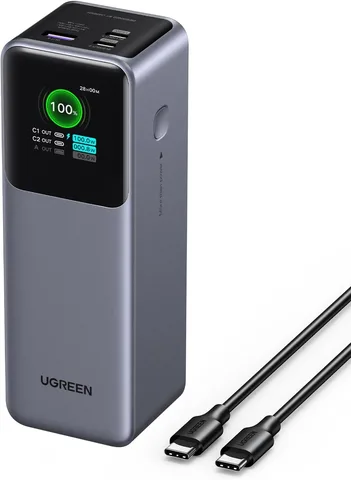
Look for independent battery and charging tests as well as the battery capacity. Our power bank buying guide is useful if you also want to compare portable charging options, although a power bank won't change the phone's own maximum charging speed.
5. Look beyond the screen size and refresh rate
A 120Hz screen sounds premium, especially when it sits on a phone costing a fraction of flagship money. But refresh rate describes how often the display can update; it doesn't tell you how sharp or colourful the picture is.
The Moto g06 pairs a large 6.88-inch, up-to-120Hz display with an HD+ resolution of 1640 × 720, according to Motorola. The screen was one of the parts we liked in normal use, particularly for YouTube. But someone who reads lots of small text or wants especially crisp photos may want to compare it with a higher-resolution display.
Before buying, ask yourself what you actually use your screen for. Video and social media? Reading? Gaming? A big display is useful, but it's not the whole specification.
6. Check whether you're paying for features you need
Plenty of budget Android phones are still 4G-only. That isn't automatically a problem. If your phone spends most of its life on home Wi-Fi, you may be perfectly happy.
But check connectivity carefully if you expect to keep the phone for several years. The same goes for NFC contactless payments, expandable storage, a headphone socket, eSIM support and water resistance. Some features vary by region or configuration.
My rule: make a short list of the things you'd actually miss. Don't spend extra money on features you'll never use, but don't buy a model that lacks something you rely on every day.
7. Work out the full contract cost
A £15-a-month phone deal sounds gentler than paying hundreds of pounds upfront. Sometimes it is. Other times, a SIM-free handset with a separate mobile plan works out cheaper.
Ofcom's advice on choosing a mobile package is to check the full cost over the contract, including upfront payments, extras and any stated price rises. Also check whether the handset payment and airtime plan are separate agreements.
It's worth doing the simple maths before you get distracted by a 'free' phone.
So, are Black Friday budget phone deals worth it?
They certainly can be. A discounted handset that does everything you need is far better value than an expensive phone packed with features you'll never touch.
The trick is to decide what you need before looking at the sale price. Compare the real cost, physical RAM, security-support deadline, charging speed, screen and connectivity. Read a review that discusses ordinary use, not just the manufacturer's headline specifications.
If you're considering an entry-level Motorola, start with our Moto g06 review. Its good screen and everyday usefulness make sense for the right buyer, but the sluggish multitasking and slow charging are exactly the sorts of compromises that can make a low price feel less exciting later.
A bargain is a phone you're still happy using after the sale banners have disappeared.
Editor's note: This feature was researched on 14 November 2026 using manufacturer specifications and UK consumer guidance. It isn't a live price comparison or a claim that the Moto g06 is currently discounted. Prices, offers, software policies and availability can change; check the retailer and manufacturer before buying. The header illustration was created for Jabba Reviews.
KEEP EXPLORING
This article was originally published on 15 Nov 2026. Product specifications, prices and availability may have changed. We sometimes receive review products and may earn commission through affiliate links. We are not obliged to publish a positive review. How we review and disclose partnerships.