It's a bit wild that the original ASUS ROG Ally Z1 Extreme is now over three years old. In 2023, a handheld that ran Windows games, let you jump between launchers and squeezed a 120Hz screen into your backpack felt like a very exciting kind of chaos. In 2026, the question is different: with newer handhelds on the shelves, is the original ROG Ally still worth buying?
My short answer: it can be, if the price is right and you're realistic about the battery and modern big-budget games. The Z1 Extreme hasn't suddenly forgotten how to run a brilliant gaming backlog. But it isn't an unlimited performance machine, and some of its old annoyances are still waiting for you.
This is a three-year retrospective based on the original hardware specifications, historical independent testing, software guidance and the editorial notes behind this article. It's not a fresh frame-rate benchmark or a claim that we've retested all the named games in 2026. That distinction matters when you're spending your own money.
ASUS ROG Ally Z1 Extreme specs: the important bits
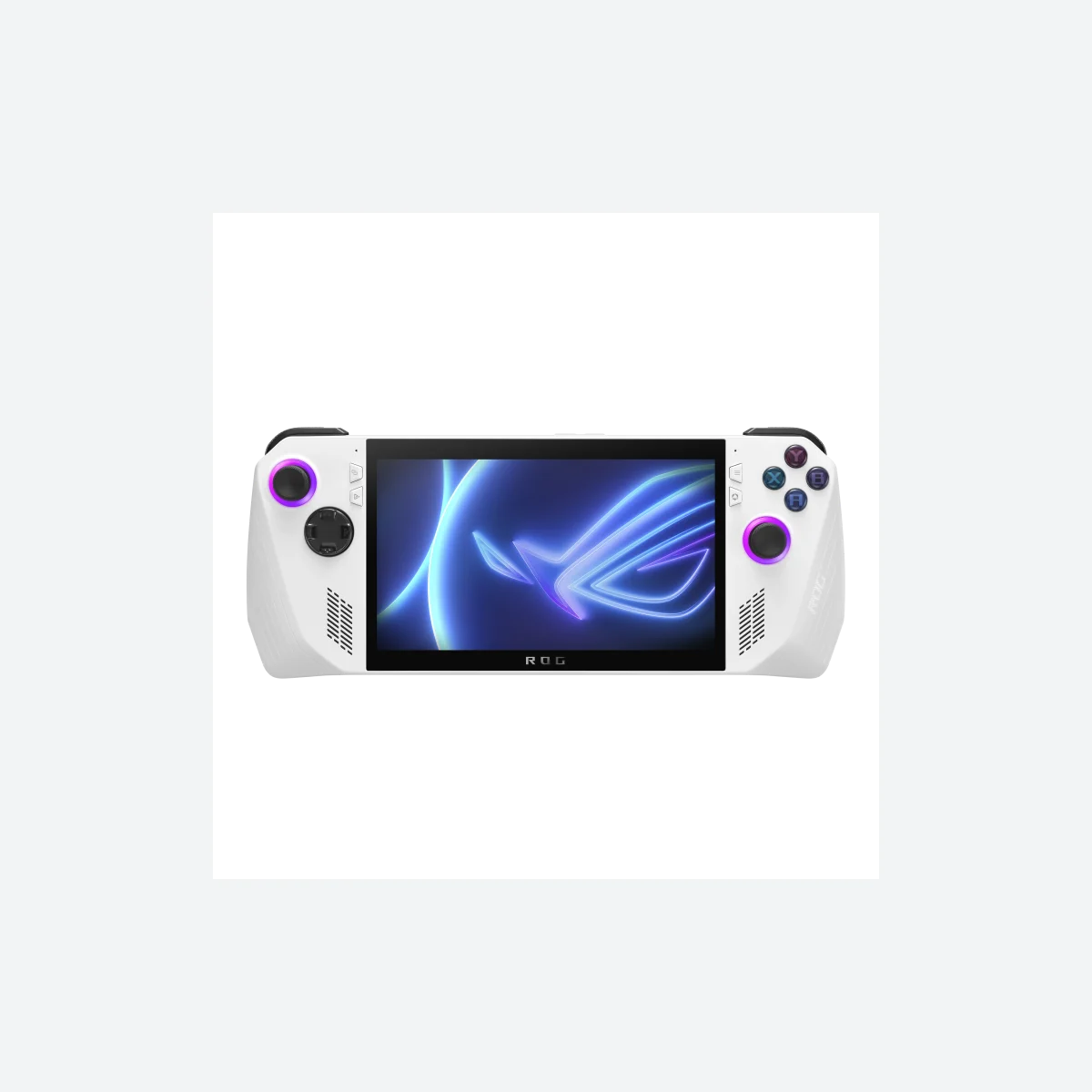
The original 2023 ROG Ally RC71L with the Z1 Extreme has an eight-core, 16-thread Zen 4 CPU and 12 RDNA 3 graphics compute units. ASUS lists a 7-inch, 1920 × 1080 touchscreen with a 120Hz refresh rate and FreeSync Premium variable refresh rate (VRR), 16GB of LPDDR5 memory, a 512GB SSD, a 40Wh battery and a weight of around 608g.
Those are ASUS's published Z1 Extreme specifications, not numbers taken from a newer ROG Ally X or the less powerful standard Z1 model. Watch the model name carefully on second-hand listings: those machines are not interchangeable.
The screen remains the easy thing to like. A 120Hz panel doesn't guarantee 120 frames per second, but VRR makes uneven frame delivery less visually jarring when supported. The speakers and comfortable hand grips are appealing too. It's a much more charming little machine than a bare spec sheet suggests.
What games can the original ROG Ally play in 2026?
The sweet spot is an enormous PC backlog, particularly older AAA games, indies and games that offer sensible resolution and upscaling settings.
Think of titles such as Hades II, Balatro, Dead Cells, Hi-Fi Rush, Forza Horizon 5 and older action games as good candidates to investigate. Bigger names such as Cyberpunk 2077, Elden Ring and Red Dead Redemption 2 are possible targets for tweaked handheld settings, but results depend on each game version, TDP mode, graphics preset, upscaling and whether the Ally is plugged in.
Here's the trap: one person's “runs great” can mean 720p Low at 30fps, while another means 1080p Medium at 60fps. Those are very different experiences. If you're shopping for a particular game, check a recent Z1 Extreme benchmark with the exact settings listed rather than trusting an isolated headline frame-rate number.
Where new AAA games become harder work
Some of the most demanding recent games put pressure on the Ally's shared 16GB memory and integrated RDNA 3 GPU. Hardware-heavy Unreal Engine 5 releases and games with expensive lighting or ray-tracing requirements may call for lower resolutions, more aggressive upscaling and compromises to image quality. It's worth checking game-specific minimum requirements and credible testing before buying.
The important nuance: I wouldn't promise that Monster Hunter Wilds, DOOM: The Dark Ages, Alan Wake 2 or Indiana Jones and the Great Circle will hit a particular frame rate on this older handheld without a controlled, up-to-date test. Some titles may have launch or driver issues, while others can become more playable after patches. Treat the game's current performance as something to verify, not something we can magically infer from 2023 specs.
The battery is still the big reality check
The 40Wh battery isn't huge when you're pushing a PC-class APU. The original independent Notebookcheck Z1 Extreme review measured about 57 minutes in its demanding Witcher 3 test, while lighter usage could last considerably longer.
That is a published third-party result from an earlier test, not a battery test we've just run. Battery health matters even more on a used unit in 2026. A three-year-old battery may have lost some capacity, so two apparently identical second-hand Allies could give you noticeably different runtime.
For short commutes, indies or a comfortable sofa session near a plug, that compromise may be fine. If your dream is several hours of demanding AAA gaming in the middle of nowhere, the original Ally is a difficult sell without a power bank or another handheld.
SteamOS, Bazzite and Windows: software has changed the story
The original Ally arrived as a Windows 11 machine. That means access to major PC game stores and launchers, which is wonderfully flexible. It also means Windows updates, desktop prompts, sleep behaviour and the usual moments when a handheld suddenly feels suspiciously like a small laptop.
By late 2026 the alternative-OS conversation is much more interesting. Valve's SteamOS installation guidance lists the ROG Ally under beta SteamOS support. That is not the same as being officially “Powered by SteamOS” with the full hardware-specific support offered to certain other devices. Bazzite is also a community option, but installation and compatibility require research, backups and an appetite for tinkering.
If you're buying a used Ally to customise, having a choice is fantastic. If you're buying one as a simple console for someone who doesn't want to fiddle, it's worth being upfront: the software experience can still require patience, regardless of the launcher you choose.
Don't ignore the microSD reader history
One of the original Ally's less fun legacies is its microSD card reader issue. ASUS publicly acknowledged that some readers in the 2023 RC71L didn't behave as expected and announced an extended reader warranty in the United States. Its official announcement also directs owners outside the US to their local support service.
That doesn't mean every original ROG Ally has a broken slot. It does mean that if you're buying second-hand, test it rather than assuming it works. Check the microSD reader with a known-good card, ask about any past repairs, and confirm your local warranty situation. It's also sensible to check the built-in SSD's capacity and health, because an upgraded internal SSD may be more attractive than relying on removable storage.
Should you buy a used ROG Ally Z1 Extreme in 2026?
This is where price changes everything. The Z1 Extreme is more compelling as a well-priced used handheld than as a near-full-price alternative to substantially newer machines. Rather than inventing a UK bargain price that could be out of date tomorrow, compare actual sold prices, seller condition and warranty before committing.
Here's what I'd check before handing over the money:
- Exact model: Confirm you're getting the Z1 Extreme, not the standard Z1.
- Battery: Ask about age, battery health and realistic unplugged use.
- Controls and screen: Test stick movement, buttons, triggers, touchscreen, speakers and the 120Hz VRR settings.
- microSD and storage: Test the reader and check whether the SSD is original or has been replaced.
- Cooling: Listen for unusual fan sounds and check for blocked vents or excessive heat.
- Software: Confirm Windows activation, BIOS state, restore options and the seller's account removal.
- Overall value: Compare against a used Ally X, Steam Deck OLED and newer Xbox Ally options at prices you can actually find in the UK.
An honest used listing with some cosmetic wear can be a better buy than a pristine-looking unit with a dying battery and mystery repairs.
ROG Ally vs ROG Ally X: does the newer machine make more sense?
The Ally X brings changes in areas that matter for living with a handheld, particularly battery capacity and memory headroom. It's not just about chasing an extra frame or two; it's about whether the machine is easier to take away from a power socket and whether demanding games have a bit more breathing room.
For readers with a healthy budget and lots of newer releases on the wishlist, it's worth comparing the real asking prices for an Ally X or more recent handheld. But for a backlog-heavy player who mostly wants indies and older PC favourites, the original Z1 Extreme is still genuinely appealing when bought at an appropriate discount.
Is the original ASUS ROG Ally still good? Our 2026 verdict
Yes, but selectively. The screen, controls and enormous Windows game library give this three-year-old machine a reason to exist. Its battery, 16GB memory ceiling and microSD concerns are substantial caveats, not footnotes.
I'd lean towards it for a tinkerer, indie fan or someone looking to clear a deep PC backlog on the sofa. I'd be much more cautious for a buyer expecting long unplugged sessions or effortless performance in the latest blockbuster releases.
The best advice isn't “never buy older tech”. It's don't pay new-tech money for old-tech trade-offs. Check the exact model, check the condition and remember that games you've been meaning to finish since 2020 don't suddenly become less fun because a newer chipset has arrived.
ROG Ally Z1 Extreme FAQ
Does the original ROG Ally have 120Hz VRR?
Yes. ASUS specifies a 7-inch Full HD display with a maximum 120Hz refresh rate and AMD FreeSync Premium. Actual game frame rates vary.
Can the 2023 ROG Ally run SteamOS?
Valve lists the ROG Ally among devices with beta SteamOS support, not among its officially “Powered by SteamOS” products. Check the latest installation notes and compatibility before changing your operating system.
Is the microSD reader always faulty?
No. ASUS acknowledged issues affecting some units. Check the individual reader and your local warranty or repair options.
Is 16GB RAM enough for the newest PC games?
It depends on the game, settings and performance expectations. Because RAM is shared with the integrated GPU, demanding releases can run into memory constraints sooner than on higher-memory models.
Does the original Ally have good battery life?
Battery life is a weak point for demanding PC games. Independent testing recorded roughly an hour under a heavy gaming workload, while lower power settings and lighter games can last longer. A used battery may perform differently.
How this article was prepared
This is an editorial retrospective using the user-supplied long-term review outline, official ASUS specifications, Valve's current SteamOS guidance, ASUS's microSD statement and clearly attributed historical independent battery testing. It does not claim new hands-on testing, exact 2026 in-game FPS measurements or a fresh scored review.
KEEP EXPLORING
This article was originally published on 23 Nov 2026. Product specifications, prices and availability may have changed. We sometimes receive review products and may earn commission through affiliate links. We are not obliged to publish a positive review. How we review and disclose partnerships.