The Logitech Signature Slim K950 keyboard is an impressive blend of sleek design, functionality, and sustainability. Aimed at users balancing work and personal life, this keyboard stands out for its ability to seamlessly switch between three devices—whether that’s a computer, tablet, or phone. Its quiet typing experience, coupled with laptop-style keys, makes it ideal for focused work environments, while the customizable F-keys and built-in shortcuts offer incredible efficiency boosts for everyday tasks.
Design and Build Quality
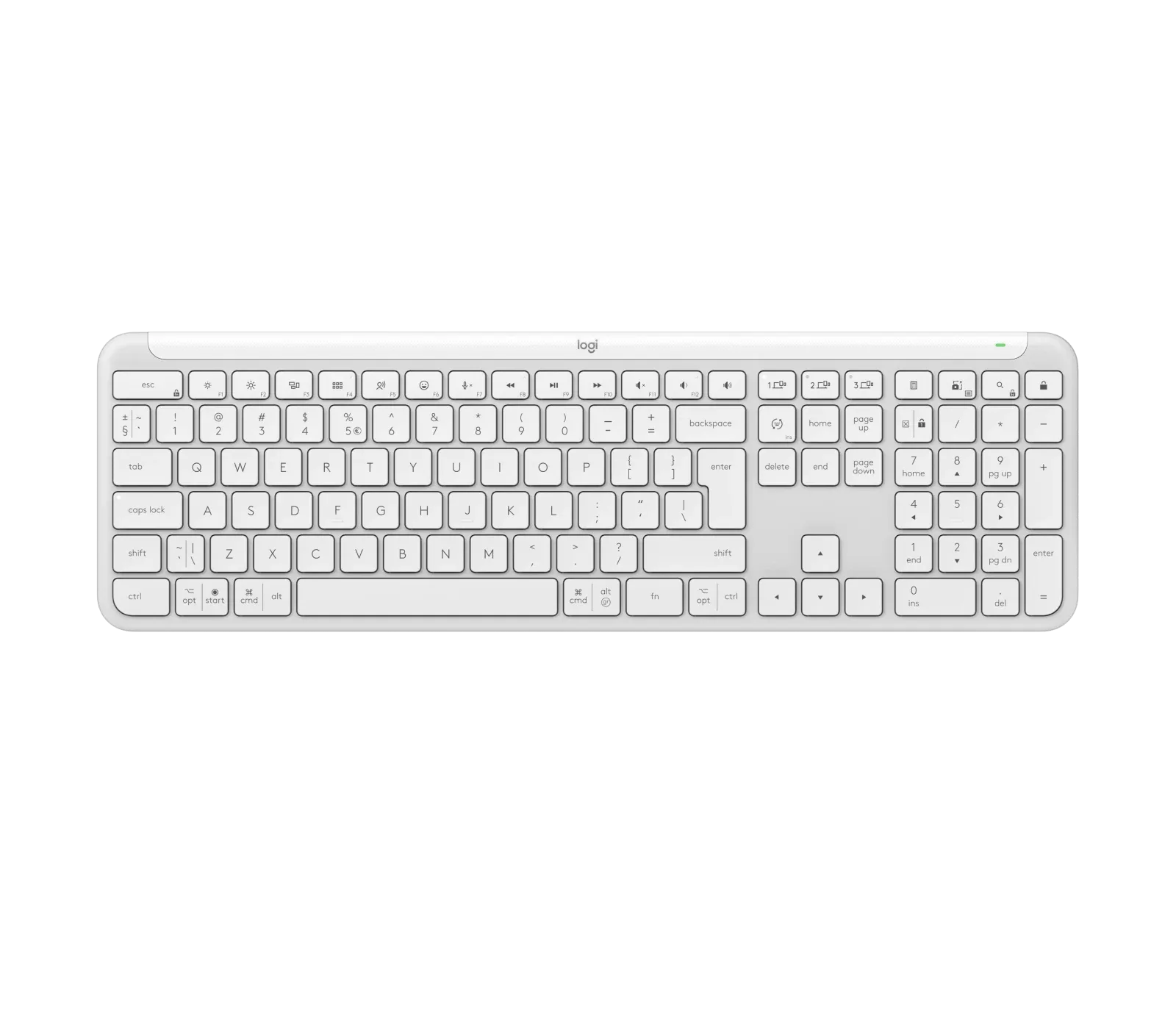
When it comes to design, the Signature Slim K950 makes a strong first impression. Its slim profile is complemented by an elegant, minimalist aesthetic that would elevate any workspace. Available in graphite and off-white, the keyboard boasts a full-sized layout with a dedicated number pad, ensuring it caters to both work and personal use. The keys themselves offer a laptop-like typing experience, delivering comfort and familiarity.
Moreover, Logitech’s commitment to sustainability is visible here. The K950 features post-consumer recycled plastic and low-carbon aluminum, reflecting the brand’s dedication to reducing its environmental footprint. It’s also certified carbon neutral, so you can feel good about your purchase in more ways than one.
Multi-Device Mastery
What truly sets the K950 apart is its multi-device functionality. You can pair this keyboard with up to three devices simultaneously and switch between them effortlessly with the Easy-Switch keys. Whether you're working on your desktop, responding to emails on your tablet, or sending a quick message on your phone, the K950 has got you covered.
Compatibility is another area where the K950 excels. It’s designed to work across a range of platforms, including Windows, macOS, Chrome OS, iPadOS, and Android. This makes it an excellent choice for those who switch between different operating systems throughout the day.
Typing Experience and Customization
The typing experience on the Signature Slim K950 is smooth and quiet, making it a great choice for shared workspaces or home offices. The keys offer a satisfying level of travel, ensuring each keystroke feels responsive and deliberate. Additionally, the keyboard’s tilt legs provide an 8-degree typing angle for added comfort during long typing sessions.
Logitech takes customization to the next level with the Logi Options+ app. This allows you to personalize your F-keys, assign shortcuts, and even use Smart Actions for routine tasks. Although the app isn’t supported on Chrome OS or Linux, the basic functions of the keyboard still work without it, ensuring versatility across devices.
Battery Life and Connectivity
Battery life is another strong suit for the Signature Slim K950. Powered by two AAA batteries, the keyboard offers up to 36 months of use—depending on conditions—which is impressive for a wireless device. Connectivity is seamless, with the K950 supporting both Bluetooth Low Energy technology and the Logi Bolt USB receiver for reliable wireless performance.
The wireless range is also substantial, offering up to 10 meters of freedom. Whether you're working in a large office space or simply moving around your home, this range ensures you stay connected.
Sustainability and Environmental Impact
Logitech’s emphasis on sustainability is a commendable aspect of the Signature Slim K950. The keyboard is made using recycled plastic—62% for the graphite model and 48% for the off-white version. The use of low-carbon aluminum for the internal plate further underscores the company's efforts to minimize environmental impact. Even the packaging is responsibly sourced, with FSC-certified paper contributing to responsible forest management.
Final Thoughts
The Logitech Signature Slim K950 is more than just a keyboard; it’s a productivity tool designed to simplify your work-life balance. Its sleek design, multi-device functionality, and eco-friendly construction make it an ideal choice for anyone looking to upgrade their workspace. While the lack of support for customization on Chrome OS and Linux may be a drawback for some, the overall performance and features make it a solid contender in the wireless keyboard market.
With quiet typing, long battery life, and a commitment to sustainability, the K950 is a strong option for those who value both functionality and environmental responsibility. This keyboard seamlessly integrates into a variety of workflows, making it suitable for professionals, students, and anyone in between.
Score: 8.5/10
KEEP EXPLORING
This article was originally published on 31 Aug 2024. Product specifications, prices and availability may have changed. We sometimes receive review products and may earn commission through affiliate links. We are not obliged to publish a positive review. About our reviews and disclosures.