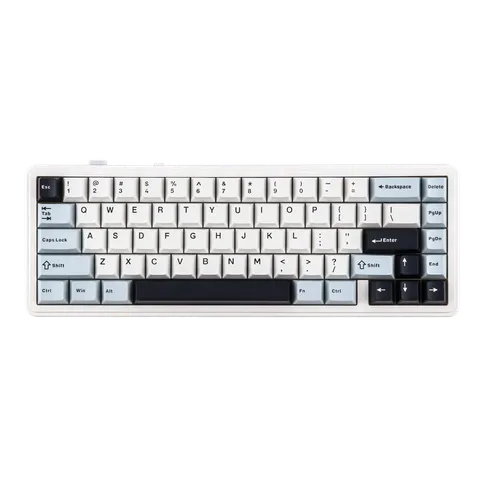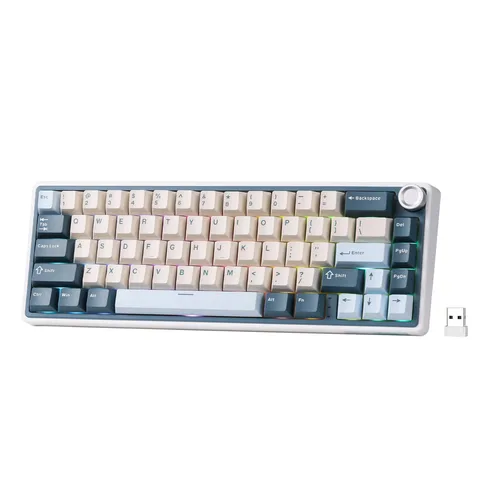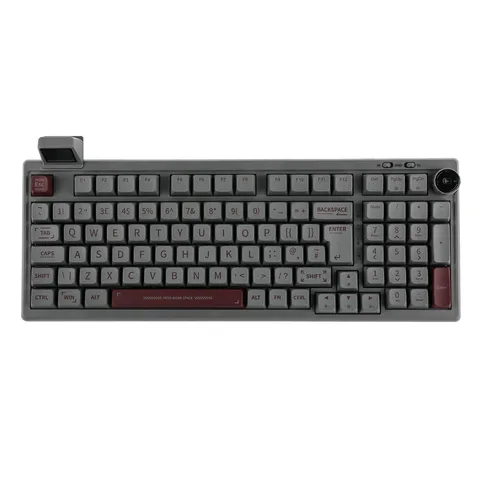
The CIDOO QK61 from Epomaker is an impressive 60% mechanical keyboard packed with features that appeal to gamers and typists alike. It combines an elegant design with strong functionality, offering hot-swappable switches, Bluetooth 5.0, and an RGB lighting system, all at an affordable price point. But is it worth the investment? Let's dive deep into the features, performance, and usability of this compact yet capable keyboard.
Design and Build Quality: Small But Sturdy
The first thing you’ll notice about the CIDOO QK61 is its sleek, minimalist design. The 60% layout strips away the excess, focusing on the essentials for a cleaner workspace. The keyboard’s compact size makes it ideal for smaller desks or for those who prefer a clutter-free setup. Its frame is built using high-quality ABS plastic, giving it a solid feel without being overly heavy. Despite the plastic construction, the QK61 exudes a sense of durability and longevity that is often missing in budget models.
The aesthetics are further elevated by a tasteful RGB lighting system that shines vibrantly through the PBT keycaps. Each key can be individually programmed, allowing for countless customization options. If you’re someone who likes to experiment with different lighting setups, the QK61 won’t disappoint. The keycaps themselves are made from thick PBT plastic, ensuring that they’ll resist wear and keep their legends intact over time.
Switch Options and Hot-Swap Capability
One of the standout features of the QK61 is its hot-swappable capability. This means you can easily swap out the switches without the need for soldering, making it perfect for enthusiasts looking to experiment with different switch types. Whether you prefer the smooth keystrokes of linear switches or the tactile feedback of clicky ones, the QK61 has you covered. Out of the box, it comes with Gateron switches, known for their reliability and consistent performance. However, you can mix and match as you see fit to create your ideal typing experience.
The stabilizers on the larger keys (like the spacebar and shift) are pre-lubed, which eliminates rattle and provides a more satisfying typing experience. This attention to detail is surprising for a keyboard in this price range and showcases CIDOO’s commitment to quality.
Connectivity: Wired and Wireless Flexibility
The QK61 supports both wired and wireless modes, thanks to its Bluetooth 5.0 integration. Switching between the two is seamless, making it a great option for users who want to switch between different devices or prefer a cable-free setup. The USB-C connection ensures fast and reliable wired performance, while the Bluetooth option provides a stable connection for up to three devices simultaneously.
Battery life is reasonable, though it won’t break any records. With the RGB lights off, you can expect around 10-15 hours of use, which drops significantly if you crank up the lighting effects. However, for general typing or office work, the battery life should suffice for most users.
Typing Experience: Comfortable and Satisfying
The typing feel is where the QK61 truly shines. The Gateron switches are responsive and smooth, providing a satisfying tactile experience that’s suitable for both typing and gaming. There’s minimal key wobble, and the pre-lubed stabilizers give the larger keys a solid, rattle-free feel. The layout might take some getting used to if you’re accustomed to a full-size or TKL board, but once you adapt, the compact form factor becomes a joy to use.
The sound profile is also relatively quiet for a mechanical keyboard, making it a decent option for shared workspaces or late-night gaming sessions. Of course, this can vary depending on the switch type you choose to use, but overall, the QK61 offers a balanced sound and feel right out of the box.
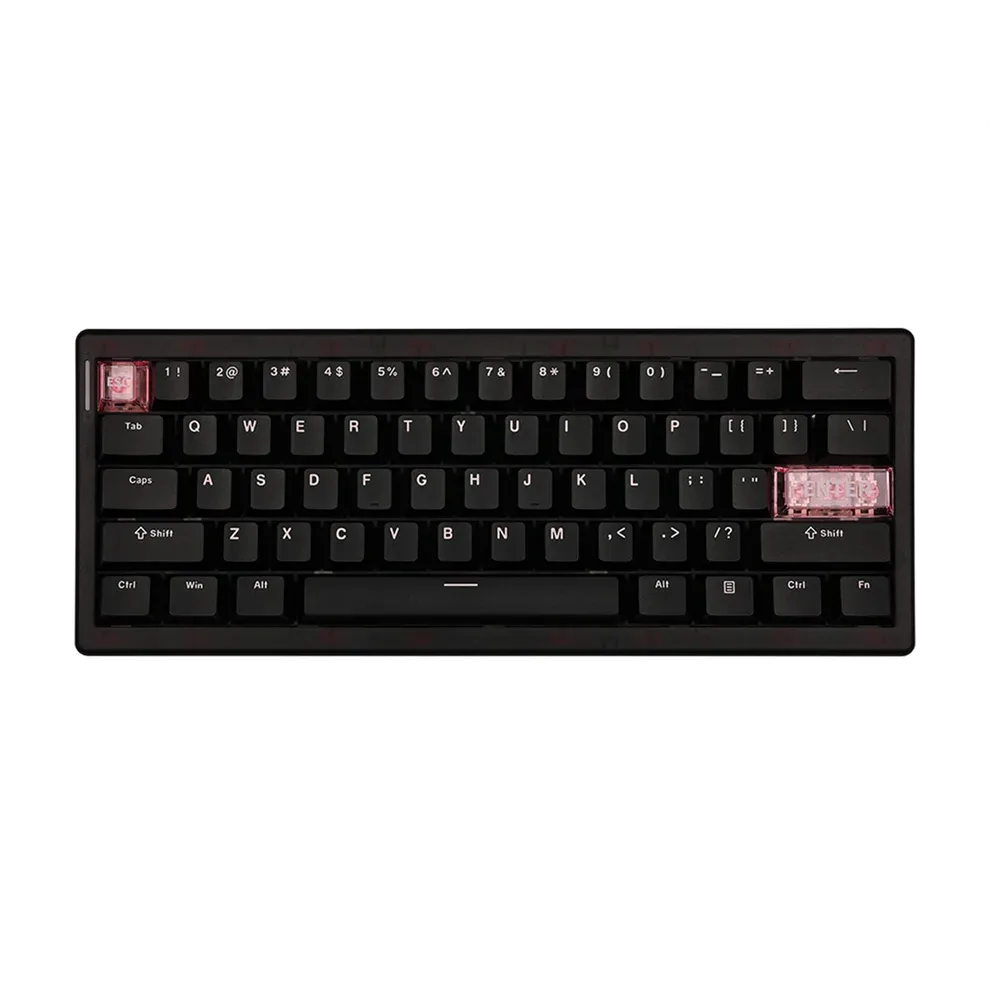
Software and Customization: More Than Meets the Eye
Epomaker’s companion software for the QK61 allows for extensive customization of key functions, macros, and lighting effects. The software interface is intuitive, making it easy even for beginners to create complex macros or set up custom profiles. If you’re a power user who likes to tinker, you’ll find plenty to love here. The keyboard is also compatible with QMK and VIA, offering advanced users even more control over the configuration.
One minor gripe is that the software isn’t always as polished as some of the premium brands, occasionally experiencing lag or connectivity issues. However, these are relatively rare and don’t detract too much from the overall experience.
RGB Lighting: Vibrant and Versatile
RGB lighting has become a staple feature in gaming keyboards, and the QK61 does not disappoint. The backlighting is bright and evenly distributed, with a wide range of effects to choose from. You can set up everything from simple wave patterns to more complex reactive effects that light up the keys as you type. The per-key customization is also a nice touch, allowing you to set different colors for specific keys or create your own themes.
Value for Money: Hard to Beat
Given its feature set and build quality, the QK61 offers excellent value for money. It competes with other budget 60% keyboards like the RK61 and Anne Pro 2, but its hot-swap capability and Bluetooth 5.0 support give it a distinct edge. If you’re looking for an entry-level mechanical keyboard that doesn’t skimp on features, the QK61 is a top contender.
Pros and Cons
Pros:
- Hot-swappable switches for easy customization
- High-quality PBT keycaps with excellent durability
- Bluetooth 5.0 for wireless connectivity
- Vibrant RGB lighting with per-key customization
- Compact, minimalist design ideal for smaller setups
Cons:
- Software can be a bit finicky at times
- Battery life could be better with RGB lighting enabled
- 60% layout may not suit everyone’s needs
Final Verdict: A Compact Marvel
The CIDOO QK61 is an excellent choice for those looking to dip their toes into the world of mechanical keyboards without breaking the bank. Its combination of hot-swappable switches, Bluetooth connectivity, and vibrant RGB lighting makes it one of the best value-for-money options in its class. While it’s not without its flaws, particularly in the software department, the overall package is hard to beat.
Rating: 8.5/10
KEEP EXPLORING
This article was originally published on 17 Oct 2024. Product specifications, prices and availability may have changed. We sometimes receive review products and may earn commission through affiliate links. We are not obliged to publish a positive review. About our reviews and disclosures.